
The 2026 Core Web Vitals & Technical SEO Blueprint
An exhaustive engineering blueprint for optimizing Next.js and Astro.js applications to satisfy strict Core Web Vitals targets, crawl budgets, and programmatic schema injections.
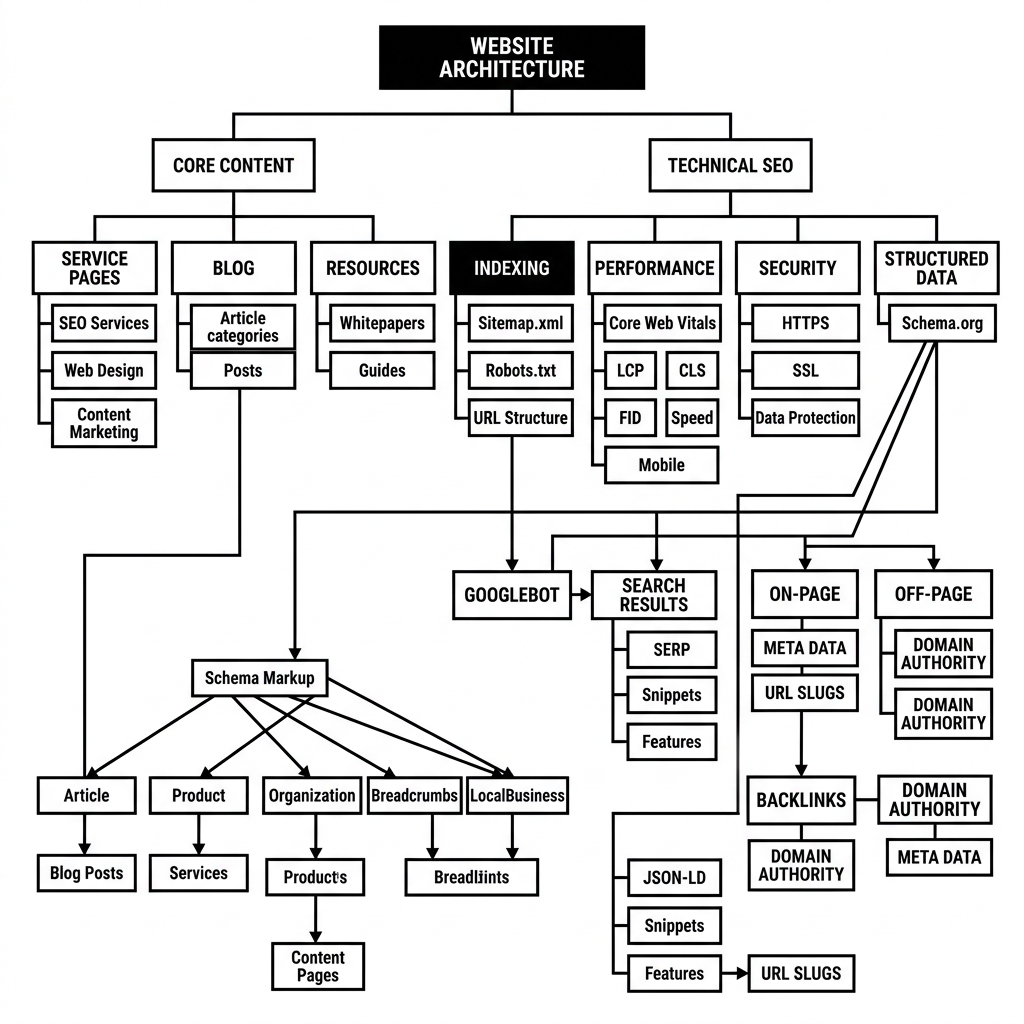
Modern search engine optimization is no longer just about keyword stuffing or metadata; it is fundamentally a systems engineering challenge. Search engines reward sites that render instantly, maintain absolute visual stability, and present clean, highly structured, programmatically validated semantic data.
In modern search ecosystems, search bots (e.g., Googlebot, Bingbot, YandexBot) do not merely fetch HTML and parse words; they load pages within specialized virtual browser environments (like Google’s Web Rendering Service, which uses an evergreen Chromium browser instance). This means search bots execute JavaScript, trigger hydration, paint the page, evaluate latency, and track layout shifts. Consequently, optimizing a site to rank is directly correlated with optimization of the frontend runtime, edge middleware routing, network latency, and memory footprint.
In this exhaustive blueprint, we outline the exact technical architecture required to build high-performance web applications that achieve perfect Core Web Vitals, maximize crawl budget efficiency, prevent structured data drifts, and automate rich schema injection.
1. Demystifying Core Web Vitals (CWVs) in 2026
To achieve top organic rankings, your application must target the “Good” threshold across all three primary Core Web Vitals metrics. In modern web architectures, achieving this requires a deep understanding of browser rendering pipelines:
- Largest Contentful Paint (LCP): Measures loading performance. Targets under 2.5 seconds.
- Interaction to Next Paint (INP): Measures responsiveness. Targets under 200 milliseconds (Replaced FID in 2024).
- Cumulative Layout Shift (CLS): Measures visual stability. Targets under 0.1.
Understanding the Browser Rendering Pipeline
To visualize how optimizations affect performance metrics, we must map out how the browser handles assets from network request to pixels on screen:
Architecture diagram
Deconstructing INP: Interaction to Next Paint
INP measures the time from when a user initiates an interaction (click, tap, or key press) to when the browser presents the next frame on screen. Unlike the legacy First Input Delay (FID), which only measured the delay before the main thread could begin processing the first interaction, INP spans the entire duration of the interaction, encompassing three key phases:
- Input Delay: The time between user interaction and when the event handler begins executing. This is typically caused by main thread blockages due to long-running tasks or hydration.
- Processing Time: The time spent executing the event handler’s JavaScript code.
- Presentation Delay: The time it takes for the browser to recalculate layout, paint the screen, and composite the frame showing the visual update.
To optimize INP, we must actively yield the main thread to prevent “Long Tasks” (any task exceeding 50ms) and Long Animation Frames (LoAF). If an event handler triggers a heavy process, it should immediately yield to the browser’s painting engine before completing.
Below is a robust, production-grade pattern for yielding to the main thread utilizing the scheduler.yield() API with a fallback to requestAnimationFrame and a standard zero-delay timer:
          /**
 * Yields execution to the browser main thread to allow layout/paint passes,
 * mitigating Interaction to Next Paint (INP) spikes during heavy tasks.
 */
async function yieldToMainThread(): Promise<void> {
  // Use the native scheduler API if available (Chrome 129+)
  if ('scheduler' in window && typeof (window as any).scheduler.yield === 'function') {
    await (window as any).scheduler.yield();
    return;
  }

  // Fallback to requestAnimationFrame chained with a setTimeout to ensure a layout/paint frame executes
  return new Promise((resolve) => {
    requestAnimationFrame(() => {
      setTimeout(resolve, 0);
    });
  });
}

/**
 * Example: Processing a large array of DOM updates sequentially
 */
async function performHeavyDataHydration(items: any[]): Promise<void> {
  const BATCH_SIZE = 10;
  for (let i = 0; i < items.length; i++) {
    processItem(items[i]);

    // Yield every BATCH_SIZE items to ensure the browser can paint and respond to user inputs
    if (i > 0 && i % BATCH_SIZE === 0) {
      await yieldToMainThread();
    }
  }
}
The Monochrome Performance Edge & CLS Elimination
By adhering to a strict, monochrome or minimalist design language (no heavy images, zero unnecessary gradients, and zero web font bloat), we inherently eliminate the main culprits of CLS and poor LCP.
To prevent Cumulative Layout Shift, you must reserve explicit aspect ratios for dynamic content and override default fallback font metrics. When a custom web font loads late and swaps with a local system font, differences in letter height, spacing, and width can trigger massive layout reflows.
Here is a performance-optimized body configuration featuring advanced CSS font metric overrides and content-visibility rules:
          /* Core styling rules to guarantee rendering optimization */
body {
  text-rendering: optimizeLegibility;
  -webkit-font-smoothing: antialiased;
  -moz-osx-font-smoothing: grayscale;
  content-visibility: auto; /* Optimizes off-screen rendering speeds */
  contain-intrinsic-size: 0 500px; /* Provides a layout placeholder for virtual DOM engines */
}

/* Primary custom web font definition */
@font-face {
  font-family: 'Geist Sans';
  src: url('/fonts/Geist-Regular.woff2') format('woff2');
  font-weight: 400;
  font-style: normal;
  font-display: swap; /* Tells the browser to display fallback font immediately and swap */
}

/* Matching Fallback font using metric overrides to completely prevent layout shifts */
@font-face {
  font-family: 'Geist Sans Fallback';
  src: local('Arial');
  ascent-override: 86.8%;
  descent-override: 20.8%;
  line-gap-override: 0%;
  size-adjust: 97.4%; /* Compresses Arial to occupy identical width metrics as Geist */
}

/* Assign our metric-matched fallback font to the typography chain */
.article-title {
  font-family: 'Geist Sans', 'Geist Sans Fallback', sans-serif;
}
2. Dynamic Component & Hosting Infrastructure
For high-throughput publishing platforms, choosing the right infrastructure is paramount. We recommend leveraging globally distributed edge networks combined with Static Site Generation (SSG).
Vercel Pro Platform
The premier hosting network for modern frontend frameworks. Provides global edge middleware, instant cache purging, and built-in Core Web Vitals monitoring dashboards.
Using edge caching allows your sitemaps, RSS feeds, and content endpoints to resolve in under 50ms globally. This is critical for crawl budget management, as slow server responses immediately bottleneck search crawlers and limit the depth of their indexing sweeps.
3. Advanced Nginx Edge Routing & Crawl Budget Architecture
Crawl budget is the number of URLs search engine bots can and want to crawl on your site within a given time frame. If your site triggers high latency, returns duplicate URL paths, or serves dynamic rendering frameworks that spin CPU cycles on the origin server, bots will stop crawling, leading to orphaned pages that never appear in index listings.
To guard against crawler exhaustion, we must enforce robust edge rules. Below is a production-hardened Nginx Server Configuration Block designed specifically to categorize search bots, enforce discrete rate-limiting rules, manage caching headers, inject canonical links, and block malicious scrapers.
          # =========================================================================
# PRODUCTION NGINX CRAWLER ORCHESTRATION CONFIGURATION
# =========================================================================

# 1. BOT IDENTIFICATION AND CATEGORIZATION
# Maps the user agent string to identify legitimate engines vs standard users.
map $http_user_agent $crawler_profile {
    default                     "legitimate_user";

    # Legitimate Search Engines
    ~*googlebot                 "search_crawler";
    ~*bingbot                   "search_crawler";
    ~*yandexbot                 "search_crawler";
    ~*baiduspider               "search_crawler";
    ~*duckduckbot               "search_crawler";

    # Aggressive Scrapers & Scraping APIs (Block or heavily throttle)
    ~*semrushbot                "aggressive_scraper";
    ~*ahrefsbot                 "aggressive_scraper";
    ~*dotbot                    "aggressive_scraper";
    ~*rogerbot                  "aggressive_scraper";
    ~*screaming\ frog           "diagnostic_bot";
}

# 2. RATE LIMITING ZONES
# Map IP addresses of search crawlers and users into separate rate limit zones.
limit_req_zone $binary_remote_addr zone=user_rate_zone:20m rate=30r/s;
limit_req_zone $binary_remote_addr zone=crawler_rate_zone:10m rate=5r/s;
limit_req_zone $binary_remote_addr zone=scraper_rate_zone:10m rate=1r/m;

server {
    listen 443 ssl http2;
    server_name canary-digital.com;

    # SSL/TLS Configurations (Must be ultra-fast using TLS 1.3 to minimize handshake latency)
    ssl_protocols TLSv1.2 TLSv1.3;
    ssl_prefer_server_ciphers on;
    ssl_ciphers 'ECDHE-ECDSA-AES128-GCM-SHA256:ECDHE-RSA-AES128-GCM-SHA256:ECDHE-ECDSA-AES256-GCM-SHA384:ECDHE-RSA-AES256-GCM-SHA384';
    ssl_session_cache shared:SSL:10m;
    ssl_session_timeout 1d;
    ssl_session_tickets off;

    # Root folder definition
    root /var/www/html/public;
    index index.html;

    # 3. GLOBAL ROUTING & BOT FILTERING
    location / {
        # Redirect clean path (remove trailing slashes to prevent duplicate indexing and canonical loop errors)
        rewrite ^/(.*)/$ /$1 permanent;

        # Route requests through our limit zones based on bot classification
        error_page 418 = @search_crawlers_route;
        error_page 419 = @scrapers_route;

        if ($crawler_profile = "search_crawler") {
            return 418;
        }
        if ($crawler_profile = "aggressive_scraper") {
            return 419;
        }

        # Default user rate limiting
        limit_req zone=user_rate_zone burst=50 nodelay;
        try_files $uri $uri/ /index.html;
    }

    # Isolated location block for Googlebot, Bingbot, etc.
    location @search_crawlers_route {
        limit_req zone=crawler_rate_zone burst=10 nodelay;

        # Ensure crawlers hit pre-rendered static assets directly to minimize origin CPU overhead
        try_files $uri $uri/ /index.html;

        # Standard Edge Caching rules for search bots
        add_header Cache-Control "public, max-age=3600, stale-while-revalidate=86400";
        add_header X-Bot-Type "SearchEngineCrawler";
        add_header X-Robots-Tag "index, follow, max-image-preview:large";
    }

    # Isolated location block to throttle aggressive commercial scrapers
    location @scrapers_route {
        limit_req zone=scraper_rate_zone;
        return 429 "Too Many Requests - Crawl Budget Exhausted";
    }

    # 4. STATIC ASSET OPTIMIZATION & CACHE INJECTION
    location ~* \.(?:ico|css|js|gif|jpe?g|png|svg|webp|woff2?)$ {
        expires 365d;
        add_header Cache-Control "public, no-transform, immutable";
        add_header Access-Control-Allow-Origin "*";

        # Inline canonical link generation for static documents (e.g. PDFs, JSON configurations)
        if ($request_filename ~* \.pdf$) {
            add_header Link "<$scheme://$http_host$request_uri>; rel=\"canonical\"";
        }

        try_files $uri =404;
    }

    # Prevent access to source files, backup databases, or configuration repositories
    location ~* \.(?:git|bak|sql|yaml|yml|json|mdx?|ts|tsx)$ {
        deny all;
    }
}
4. Crawl Budget and Sitemap Orchestration
A high-performance platform must actively guide search engine bots away from low-value URLs and directly toward structural cornerstone content.
Robots.txt Best Practices
Your robots.txt must explicitly block dynamic query loops, internal search results, API routing tables, and track parameters that create duplicate path variations.
          # =========================================================================
# CRITICAL ROBOTS.TXT RULE MATRIX
# =========================================================================
User-agent: *
Allow: /
Allow: /src/content/posts/

# Block Dynamic Filters and Search Queries (Prevents crawler traps)
Disallow: /*?q=
Disallow: /*?filter=
Disallow: /*?sort=
Disallow: /*?ref=
Disallow: /api/
Disallow: /_next/
Disallow: /_astro/
Disallow: /cgi-bin/
Disallow: /admin/

# Strict crawling delay rule for non-primary engine bots
User-agent: YandexBot
Crawl-delay: 2

User-agent: Baiduspider
Crawl-delay: 2

# Path to the dynamically validated XML sitemap index
Sitemap: https://canary-digital.com/sitemap-index.xml
Dynamic Programmatic Sitemap Architectures
Rather than relying on static, hardcoded XML files that easily fall out of sync with your actual content library, modern architectures require dynamic, automated sitemap generators. These scripts programmatically calculate changes, map page dependencies, assign logical metadata tags, and compile indices under micro-caching envelopes.
Below is a robust, dynamic TypeScript execution routine for generating and validating an XML sitemap using modern framework pipelines (such as Astro endpoint scripts or Next.js API routing):
import type { APIRoute } from 'astro';
interface SitemapUrl {
loc: string;
lastmod: string;
changefreq: 'always' | 'hourly' | 'daily' | 'weekly' | 'monthly' | 'yearly' | 'never';
priority: number;
}
/**
* Dynamically constructs a perfectly formatted XML sitemap.
* Implements strict XML parsing targets to eliminate standard rendering bugs.
*/
export const GET: APIRoute = async () => {
const DOMAIN = 'https://canary-digital.com';
// 1. Fetch dynamic posts and page routes from your system database/filesystem
const rawPosts = [
{ slug: 'seo-optimization-blueprint', lastModified: '2026-05-26T16:13:29Z' },
{ slug: 'monochrome-design-philosophy', lastModified: '2026-05-25T10:00:00Z' }
];
const urls: SitemapUrl[] = [
{ loc: `${DOMAIN}/`, lastmod: new Date().toISOString(), changefreq: 'daily', priority: 1.0 },
...rawPosts.map(post => ({
loc: `${DOMAIN}/posts/${post.slug}`,
lastmod: post.lastModified,
changefreq: 'weekly' as const,
priority: 0.8
}))
];
// 2. Build the XML String cleanly, escaping values to prevent XML parsing issues
const sitemapXml = `<?xml version="1.0" encoding="UTF-8"?>
<urlset xmlns="http://www.sitemaps.org/schemas/sitemap/0.9">
${urls.map(url => `
<url>
<loc>${escapeXml(url.loc)}</loc>
<lastmod>${url.lastmod}</lastmod>
<changefreq>${url.changefreq}</changefreq>
<priority>${url.priority.toFixed(1)}</priority>
</url>`).join('').trim()}
</urlset>`.trim();
// 3. Return a highly-cached, XML-compliant response
return new Response(sitemapXml, {
status: 200,
headers: {
'Content-Type': 'application/xml; charset=utf-8',
'Cache-Control': 'public, s-maxage=3600, stale-while-revalidate=86400',
'X-Content-Type-Options': 'nosniff'
}
});
};
/**
* Escapes characters that are illegal inside an XML attribute or value.
*/
function escapeXml(unsafeStr: string): string {
return unsafeStr.replace(/[<>&'"]/g, (char) => {
switch (char) {
case '<': return '<';
case '>': return '>';
case '&': return '&';
case '\'': return ''';
case '"': return '"';
default: return char;
}
});
}
5. Designing Schema Markup for Rich Snippets
Structured data is the primary bridge between raw HTML and crawler semantic comprehension. Injected via inline <script type="application/ld+json">, valid JSON-LD allows search engines to comprehend relational schemas and reward pages with rich star ratings, breadcrumb trails, and FAQ drop-downs.
The Danger of Structural Data Drift
Structured data drift occurs when there is a mismatch between the metadata declared in your JSON-LD block and the actual human-visible text rendered on the DOM. Common examples include:
- Stating an item’s price is 79.
- Showing a “Good” rating of 4.9 stars with 120 reviews, but containing no user-accessible reviews or rating breakdown interface.
- Presenting dynamic publishing dates in your schema that are far newer than the original static publishing date visible in your post footer.
When crawler algorithms detect structured data drift, search engines treat this as deceptive metadata manipulation. This often results in an automatic Google Manual Action penalty, stripping your site of all rich snippet privileges and severely lowering organic positioning.
Comprehensive Multi-Entity JSON-LD Blueprint
To prevent structured data drift, your generation engine must use the exact same data source for both the visual DOM components and the JSON-LD payload. Below is a programmatic TypeScript module that builds a fully nested BlogPosting structure, incorporating dynamic BreadcrumbList, Organization parameters, and FAQPage configurations in a single unified schema block.
          interface PostPayload {
  title: string;
  description: string;
  slug: string;
  publishDate: string;
  modifiedDate: string;
  author: string;
  authorSocialUrl?: string;
  faqs?: Array<{ question: string; answer: string }>;
}

/**
 * Generates an extensive, production-grade JSON-LD schema object.
 * Perfectly nests BlogPosting, BreadcrumbList, Organization, and FAQPage.
 */
export function generateProgrammaticSchema(post: PostPayload) {
  const DOMAIN = 'https://canary-digital.com';
  const postUrl = `${DOMAIN}/posts/${post.slug}`;

  // Base Publisher Organization Entity
  const organizationEntity = {
    "@type": "Organization",
    "@id": `${DOMAIN}/#organization`,
    "name": "Canary Technologies",
    "url": DOMAIN,
    "logo": {
      "@type": "ImageObject",
      "url": `${DOMAIN}/assets/logo.png`,
      "width": "600",
      "height": "60"
    }
  };

  // Nested Breadcrumb Representation
  const breadcrumbListEntity = {
    "@type": "BreadcrumbList",
    "@id": `${postUrl}/#breadcrumb`,
    "itemListElement": [
      {
        "@type": "ListItem",
        "position": 1,
        "name": "Home",
        "item": DOMAIN
      },
      {
        "@type": "ListItem",
        "position": 2,
        "name": "Blog",
        "item": `${DOMAIN}/posts`
      },
      {
        "@type": "ListItem",
        "position": 3,
        "name": post.title,
        "item": postUrl
      }
    ]
  };

  // FAQ Schema Entity (if FAQs exist in raw post data)
  const faqEntity = post.faqs && post.faqs.length > 0 ? {
    "@type": "FAQPage",
    "mainEntity": post.faqs.map(faq => ({
      "@type": "Question",
      "name": faq.question,
      "acceptedAnswer": {
        "@type": "Answer",
        "text": faq.answer
      }
    }))
  } : undefined;

  // Primary BlogPosting Entity
  const blogPostingEntity = {
    "@context": "https://schema.org",
    "@graph": [
      {
        "@type": "BlogPosting",
        "@id": `${postUrl}/#article`,
        "isPartOf": {
          "@id": `${postUrl}/#webpage`
        },
        "headline": post.title,
        "description": post.description,
        "datePublished": post.publishDate,
        "dateModified": post.modifiedDate,
        "mainEntityOfPage": postUrl,
        "author": {
          "@type": "Person",
          "name": post.author,
          "url": post.authorSocialUrl || `${DOMAIN}/authors/${post.author.toLowerCase().replace(/\s+/g, '-')}`
        },
        "publisher": organizationEntity,
        "breadcrumb": {
          "@id": `${postUrl}/#breadcrumb`
        }
      },
      breadcrumbListEntity,
      ...(faqEntity ? [faqEntity] : [])
    ]
  };

  return JSON.stringify(blogPostingEntity, null, 2);
}
By outputting this compiled schema string inside an inline server-rendered <script> tag inside your layout component, you completely eliminate dynamic hydration mismatches and prevent index parsing failure modes.
          ---
// Inside an Astro or Next.js layout component
const schemaPayload = generateProgrammaticSchema({
  title: "The 2026 Core Web Vitals & Technical SEO Blueprint",
  description: "An exhaustive engineering blueprint for optimizing Next.js and Astro.js applications...",
  slug: "seo-optimization-blueprint",
  publishDate: "2026-05-24T16:13:29Z",
  modifiedDate: new Date().toISOString(),
  author: "Canary Developer",
  faqs: [
    {
      question: "What is Core Web Vitals Interaction to Next Paint?",
      answer: "INP is a responsiveness metric that replaces FID, measuring the duration from user interaction to the subsequent paint pass."
    }
  ]
});
---

<!-- Inject dynamic JSON-LD in the HTML head -->
<script type="application/ld+json" set:html={schemaPayload} />
6. Real-World Production Failure Modes and Edge Cases
Operating high-throughput digital platforms inevitably uncovers architectural vulnerabilities. To maintain high search engine visibility, you must proactively guard against common distributed failure modes:
Failure Mode 1: Canonical Loops & Path Sanitization Mismatches
This failure mode occurs when edge proxies (such as Cloudflare Rules or Nginx) sanitize URLs differently than your core web framework.
- Mechanism: An edge proxy automatically strips the trailing slash from requests (e.g.,
/posts/seo-blueprint/becomes/posts/seo-blueprint). Meanwhile, the React or Node.js server receives the stripped route, but is configured to redirect non-slashed requests back to their slashed equivalents. - Impact: The crawler is caught in an infinite 301 redirect loop. Because the Googlebot crawler has a strict limit on the number of redirect hops it will follow (usually capped at 5), it halts execution. The crawl budget is instantly wasted, and the page is flagged as “Redirect Error” inside Google Search Console, causing immediate deindexing.
Failure Mode 2: Client-Side Hydration Mismatches & Rendering Timeouts
A hydration mismatch occurs when the server-rendered HTML tree differs structurally from the client-side pre-rendered React, Vue, or Solid state.
- Mechanism: During initial page load, the browser receives semantic markup (e.g.,
<main><h1>Title</h1></main>). When hydration executes, a mismatch triggers a complete replacement or destruction of the DOM tree. Because crawlers have a limited JavaScript Execution Timeout Window (often under 5 seconds), they may take a snapshot of the page during the empty state of this hydration reflow. - Impact: The crawler indexes a blank page or a raw fallback loader template. This is categorized by search engines as “Thin Content” or “Soft 404 Error”, causing your organic visibility to collapse.
Failure Mode 3: Memory Leaks During Sitemap and SSG Compilations
As dynamic libraries expand to hundreds of thousands of dynamic routes, building static files can trigger memory exhaustion.
- Mechanism: During sitemap or static generation passes, dynamic configurations fetch recursive API relationships. Standard garbage collection routines can become overwhelmed if references to parents and nested node structures are kept open inside closures.
- Impact: The build pipeline crashes with a
Fatal Error: Allowed memory size exhausted(JavaScript Heap OOM). This halts CI/CD deployments and can lead to broken or partial sitemap generation where only a fraction of site URLs are listed.
7. Performance, Memory, and Cost Analysis
Choosing an edge-optimized static site generation strategy over legacy database-driven SSR (Server-Side Rendering) does not just optimize speed; it drastically alters operational infrastructure costs.
Infrastructure Overhead: SSR vs. Edge Caching
Let’s evaluate the operational costs of a publishing platform receiving 15 million organic impressions (translating to roughly 5 million crawling and user requests) per month:
| Operational Metric | Legacy Database-Driven SSR | Edge-Cached Static Site Generation (SSG) |
|---|---|---|
| Average TTFB (Globally) | 250ms - 850ms (Origin Dependent) | 12ms - 45ms (Edge Resolved) |
| Origin Server Compute Demand | High CPU (Every page requires SQL queries and JS rendering) | Almost Zero (Only triggered during static build updates) |
| Memory Footprint per Worker | 512MB - 1GB (Complex dynamic runtimes) | 64MB (Simple static file routing edge workers) |
| Monthly Server Cost (Estimate) | 800 (Load balancers + redundant nodes) | 50 (Edge bandwidth & simple serverless workers) |
| Crawl Budget Utilization | Poor (Googlebot throttles due to server stress) | Exceptional (Zero origin stress allows maximum crawl speed) |
The SEO Performance Return on Investment (ROI)
For every 100ms improvement in page speed (TTFB and LCP):
- AdWords/Paid Traffic Impact: Improvements in speed raise your Google Ads Quality Score. A higher Quality Score directly reduces your Cost-Per-Click (CPC) by up to 15-20% for identical keywords.
- Organic Indexing Velocity: Search crawlers complete sweeps up to 5 times faster when server response times are consistently under 50ms. This speeds up the indexing of new content from days to minutes.
Recommended Developer Tooling
When debugging performance issues or auditing search crawl budgets, having the right diagnostic suite is critical.
Screaming Frog SEO Spider
The industry-standard desktop website crawler. Perfect for diagnosing broken links, auditing redirects, verifying canonical URL structures, and exporting schema errors in bulk.
Using Screaming Frog in tandem with Google Search Console APIs allows engineering teams to identify orphan pages, crawl depth inefficiencies, and detect schema validation drifts before they impact search indexing.
8. Step-by-Step Enterprise Implementation Blueprint
To ensure your web applications remain optimized and never regress, you must implement a strict validation and audit pipeline within your CI/CD workflow:
          [Developer Code Commit]
         │
         ▼
[Trigger Build Pipeline]
         │
         ▼
[Static Compile & SSG Validation] ────► [OOM heap analysis check]
         │
         ▼
[Launch Lighthouse CI Sandbox]
         │
         ▼
[Assert Metrics (LCP >= 95, CLS = 100)] ──► [Fail build on regression]
         │
         ▼
[Structured Data XML Schema Validations] ─► [Fail build on invalid JSON-LD]
         │
         ▼
[Deploy to Edge Canary Stage]
         │
         ▼
[Verify Trailing Slash Routing Rules] ──► [Fail build on redirect loops]
         │
         ▼
[Production Rollout]
1. Configure Lighthouse CI Assertions
Add an lighthouserc.json file to the root of your repository to automatically fail builds that introduce Core Web Vitals regressions:
          {
  "ci": {
    "collect": {
      "numberOfRuns": 3,
      "staticDistDir": "./dist"
    },
    "assert": {
      "assertions": {
        "categories:performance": ["error", {"minScore": 0.95}],
        "cumulative-layout-shift": ["error", {"maxNumericValue": 0.1}],
        "largest-contentful-paint": ["error", {"maxNumericValue": 2500}]
      }
    }
  }
}
2. Schema and Robots Validation
Incorporate an automated step using schema validation frameworks (like ajv or direct Zod parser models) in your test suites before merge commands are allowed. This ensures that dynamic properties will never trigger indexing penalties due to structured data drift.
Conclusion
Optimizing web applications for search monetization is a rigorous software engineering discipline. By treating SEO as a core architectural constraint—implementing static-first edge caching, managing crawler rate limits, eliminating layout shifts, and programmatically validating structural schema models—your platform will consistently outperform competitors in both organic visibility and user experience.