The AI Hardware Crisis: Demystifying Memory Bandwidth Bottlenecks
A scientific exploration of why memory bandwidth (DRAM-to-SRAM speeds) is the primary performance bottleneck in LLM inference rather than raw TFLOPS.
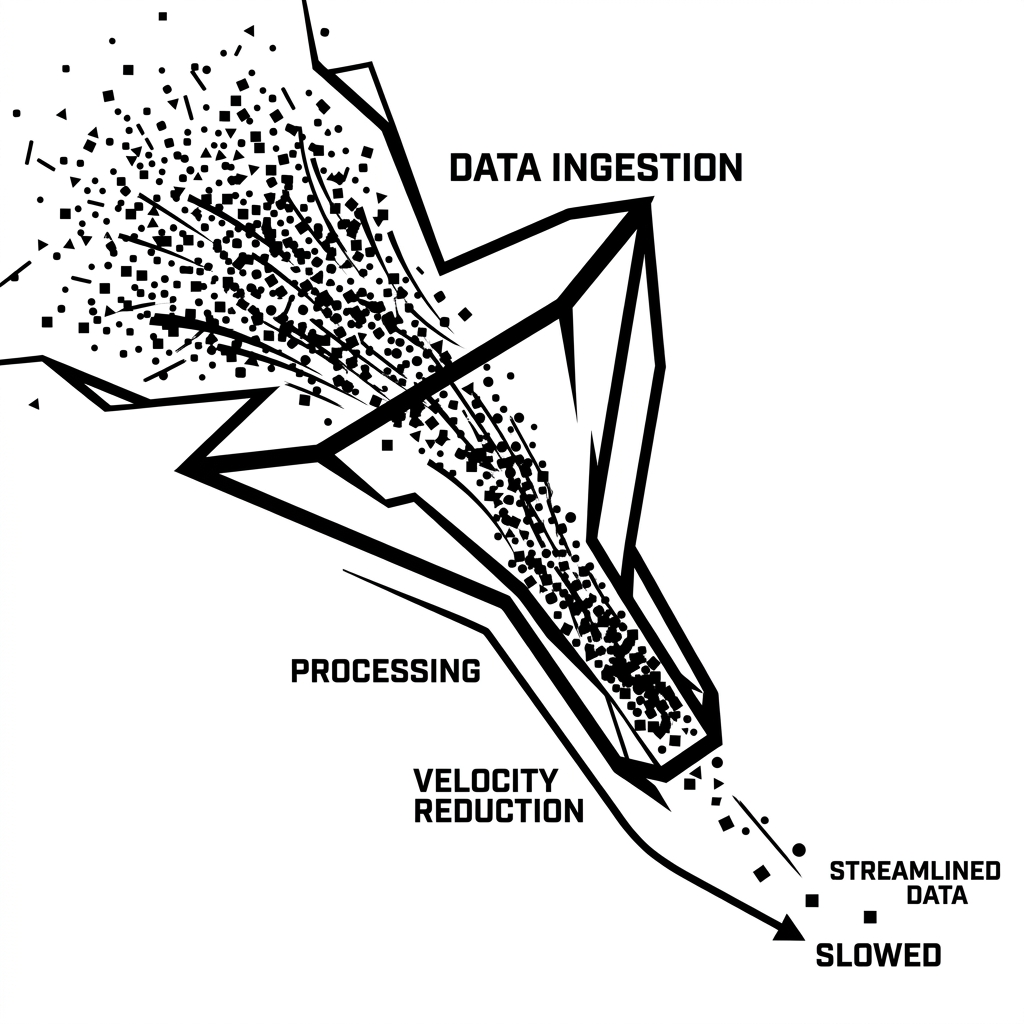
When assessing the performance of AI hardware, discussions typically center on raw processing speed metrics such as TFLOPS (Teraflops) or Tensor Core throughput. However, a stark and surprising reality emerges during the deployment of Large Language Models (LLMs) in production: the computing units of our most advanced graphics processors are frequently underutilized, often running at less than 5% of their theoretical maximum efficiency.
The primary bottleneck is not computation speed, but rather the speed at which model parameters and intermediate activation states can be transferred from off-chip storage to the active execution cores. This phenomenon is known as the Memory Bandwidth Bottleneck, and it represents the modern, silicon-scale manifestation of the classic Von Neumann bottleneck.
This scientific analysis reviews the physical boundaries of silicon memories, quantifies the constraints using the Roofline model, and explores the hardware-software paradigms designed to mitigate these limitations.
1. SRAM vs. DRAM: The Physics of Memory Hierarchy
To understand why memory bandwidth dictates LLM performance, we must first analyze the physical, electrical, and spatial properties of the two primary memory types utilized in modern accelerator architectures: SRAM (Static Random Access Memory) and DRAM (Dynamic Random Access Memory), alongside modern high-density stack configurations like HBM (High Bandwidth Memory).
Architecture diagram
SRAM (On-Chip Memory)
SRAM is located directly on the processor die, tightly integrated with the execution units (ALUs and Tensor Cores).
- Physical Architecture: SRAM utilizes a six-transistor (6T) cross-coupled inverter design to store each bit of data. This layout creates a bistable latching circuit that maintains its state indefinitely as long as electrical power is supplied.
- Latency and Bandwidth: Because SRAM is physically adjacent to the cores and does not require complex address-decoding lines or capacitor refresh cycles, its access latency is extremely low (typically 1 to 2 nanoseconds). The aggregate bandwidth of L1 and shared memory across a modern GPU exceeds 30 TB/s.
- Limitations: The 6T architecture requires a massive silicon footprint per bit stored. As a result, SRAM is physically restricted in capacity. For example, the NVIDIA H100 SXM5 GPU features only 50 MB of unified L2 cache and approximately 250 KB of L1/Shared Memory per Streaming Multiprocessor (SM). Furthermore, SRAM exhibits high static power leakage and high thermal dissipation density.
DRAM (Off-Chip Memory)
DRAM is located off-chip, residing on separate silicon dies that are physically separated from the main processor.
- Physical Architecture: DRAM employs a highly compact one-transistor, one-capacitor (1T1C) cell design. This simplicity allows DRAM to achieve massive packing densities, making it possible to store tens of gigabytes of data on a single chip.
- Latency and Bandwidth: Because capacitors naturally leak electrical charge over time, DRAM cells must be refreshed periodically (typically every 64 milliseconds), which consumes cycles and power. Furthermore, accessing DRAM requires sending signals across relatively long physical wires (bus lines), yielding high access latencies (roughly 100 nanoseconds—a 100x increase compared to SRAM).
- High Bandwidth Memory (HBM): HBM is an evolutionary step that stacks multiple DRAM dies vertically (3D stacking) on top of each other. These dies are connected using Through-Silicon Vias (TSVs) and sit on a silicon interposer directly adjacent to the GPU die. This 2.5D integration allows HBM to utilize an extremely wide memory interface (e.g., 5,120-bit bus width across 5 active HBM3 stacks on an H100) to deliver high bandwidth (3.35 TB/s to 4.8 TB/s) while operating at similar latency scales to traditional DRAM.
2. The Roofline Model: Quantifying Memory vs. Compute Limits
To systematically evaluate whether an AI workload is bound by computation speed or memory transfer speeds, we use the Roofline Model. This mathematical framework visualizes the hardware constraints of a system by plotting attainable performance against the operational complexity of the workload.
Mathematical Foundations
The core metrics of the Roofline model are defined as follows:
-
Arithmetic Intensity (AI): The ratio of floating-point operations (FLOPs) performed per byte of data transferred from off-chip memory (DRAM/HBM) to on-chip memory (SRAM).
Arithmetic Intensity = FLOPs / Memory Accesses (Bytes) -
Attainable Performance (P): The upper bound on execution speed, measured in TFLOPS. It is determined by the minimum of two physical ceilings: the peak compute performance of the processor and the bandwidth limits of the memory bus.
Attainable Performance = min(Peak Compute, Memory Bandwidth * Arithmetic Intensity) -
Ridge Point (Knee Point): The critical threshold where the hardware transitions from being memory-bound to compute-bound. It represents the minimum arithmetic intensity required to fully saturate the execution cores of the processor.
Ridge Point = Peak Compute (TFLOPS) / Memory Bandwidth (TB/s)
Hardware Calculations: A100 vs. H100 vs. Blackwell B200
Let’s compute the physical Ridge Points for three generations of enterprise AI hardware running standard half-precision (FP16/BF16) tensor operations:
| Hardware Platform | Peak Compute (BF16 TFLOPS) | Memory Bandwidth (TB/s) | Ridge Point (FLOPs / Byte) |
|---|---|---|---|
| NVIDIA A100 (80GB SXM4) | 312 TFLOPS | 2.039 TB/s | 312 / 2.039 = 153.0 |
| NVIDIA H100 (80GB SXM5) | 989 TFLOPS | 3.350 TB/s | 989 / 3.350 = 295.2 |
| NVIDIA B200 (Blackwell SXM) | 2250 TFLOPS | 8.000 TB/s | 2250 / 8.000 = 281.2 |
These calculations reveal a challenging architectural trend: while compute performance has scaled dramatically (over 7.2x from A100 to B200), memory bandwidth has only scaled by approximately 3.9x. Consequently, the Ridge Point has elevated from 153 FLOPs/byte to nearly 281-295 FLOPs/byte.
This means that software kernels running on an H100 must perform at least 295 floating-point calculations for every single byte of data fetched from HBM to utilize the GPU’s processing cores fully. Any kernel with an arithmetic intensity below this value will run in the Memory-Bound regime, leaving the Tensor Cores idle while they wait for data.
3. Why LLM Inference is Fundamentally Memory-Bound
Large Language Model execution occurs in two distinct operational phases: the Prefill Phase (ingesting the prompt) and the Decoding Phase (generating tokens one-by-one). These two phases exhibit completely different memory dynamics.
The Prefill Phase (Compute-Bound)
During the prefill phase, the model processes the entire user input prompt simultaneously. The key mathematical operations are dense matrix-matrix multiplications (GEMM) where a large sequence of prompt tokens is multiplied by the weight matrices:
Activation Matrix [Batch, SeqLength, HiddenDim] x Weight Matrix [HiddenDim, OutputDim]
Because the weight matrices are loaded from HBM to SRAM once and then reused across all tokens in the prompt sequence, the arithmetic intensity scales linearly with the prompt length. For a prompt length of 2,048 tokens, the arithmetic intensity typically exceeds 500-1000 FLOPs/byte. This places the prefill phase securely in the Compute-Bound regime, utilizing the peak TFLOPS of the Tensor Cores.
The Decoding Phase (Memory-Bound)
During the autoregressive decoding phase, the model generates one token at a time. The input token representation is a single vector:
Activation Vector [Batch, 1, HiddenDim] x Weight Matrix [HiddenDim, OutputDim]
To generate a single token, every single parameter of the neural network (billions of floating-point values) must be loaded from slow off-chip HBM into the fast on-chip SRAM of the execution cores. Since the weight matrix is used to process only one token per batch element, the arithmetic intensity is extremely low.
For a batch size of 1, the arithmetic intensity is:
Arithmetic Intensity = (2 * Parameter Count * 1) / (Parameter Count * Bytes Per Parameter)
For a model stored in 16-bit precision (2 bytes per parameter):
Arithmetic Intensity = 2 / 2 = 1.0 FLOPs/byte
An arithmetic intensity of 1.0 FLOPs/byte is far below the H100’s ridge point of 295.2 FLOPs/byte. Thus, the attainable performance is strictly limited by the memory bandwidth:
Attainable Performance = Memory Bandwidth * Arithmetic Intensity = 3.35 TB/s * 1.0 FLOP/byte = 3.35 TFLOPS
In this scenario, a hardware platform capable of delivering 989 TFLOPS of compute is physically restricted to running at 3.35 TFLOPS—an efficiency of just 0.34%. The remaining 99.66% of the compute capability is wasted as the processor stalls, waiting for weights to transit the HBM-to-SRAM bus.
4. The KV Cache Memory Explosion
In addition to transferring model parameters, LLM autoregressive inference requires storing and retrieving the historical key-value states of all tokens in a sequence to prevent recomputing them at every step. This data structure is known as the KV Cache.
The size of the KV cache scales linearly with sequence length, batch size, number of layers, and hidden dimensions:
KV Cache Size (Bytes) = 2 * Layers * Heads * HeadDim * SeqLength * BatchSize * PrecisionBytes
Let’s calculate the memory required to host the KV cache for a Llama 3 70B model utilizing Grouped-Query Attention (GQA) with the following specifications:
- Number of Layers: 80
- KV Heads (Grouped): 8
- Head Dimension: 128
- Precision: FP16 (2 bytes)
- Target Sequence Length: 8,192 tokens
- Batch Size: 64
KV Cache Size per Token = 2 * 80 * 8 * 128 * 2 = 327,680 Bytes (approx. 320 KB)
For a sequence length of 8,192 and batch size of 64:
Total KV Cache Memory = 320 KB * 8,192 * 64 = 167,772,160 KB = 167.77 GB
A 167.77 GB KV Cache cannot fit into the VRAM of a single 80 GB H100 GPU, even if we completely ignore the 140 GB required just to store the model weights themselves! This memory capacity explosion forces engineers to distribute models across multiple physical GPUs, introducing massive inter-device communication overheads that further compound the memory bandwidth bottleneck.
5. Python Performance Simulator: Quantifying the Limits
The following highly realistic, fully functional Python script simulates the performance of an H100 SXM5 GPU (80GB VRAM, 3.35 TB/s bandwidth, 989 TFLOPS compute) running LLM inference. It calculates prefill and decode speeds, arithmetic intensity, memory utilization, and the impact of quantization.
          import math

class GPUHardwareProfile:
    def __init__(self, name, peak_tflops, memory_bandwidth_tbs, vram_capacity_gb):
        self.name = name
        self.peak_tflops = peak_tflops  # TFLOPS for BF16/FP16
        self.memory_bandwidth_bytes = memory_bandwidth_tbs * 1e12  # Convert to Bytes/sec
        self.vram_capacity_bytes = vram_capacity_gb * 1e9  # Convert to Bytes
        self.ridge_point = (peak_tflops * 1e12) / self.memory_bandwidth_bytes

class LLMConfiguration:
    def __init__(self, name, param_count_billions, num_layers, num_heads_kv, head_dim):
        self.name = name
        self.param_count = param_count_billions * 1e9
        self.num_layers = num_layers
        self.num_heads_kv = num_heads_kv
        self.head_dim = head_dim

def run_roofline_simulation(gpu: GPUHardwareProfile, model: LLMConfiguration,
                            batch_size: int, seq_len: int, precision_bits: int):
    # Determine bytes per parameter/token
    bytes_per_val = precision_bits / 8

    # 1. Calculate Weights Footprint
    weights_mem_bytes = model.param_count * bytes_per_val

    # 2. Calculate KV Cache Footprint (2 bytes per KV element stored)
    # KV Cache size per token across all layers
    kv_cache_per_token_bytes = 2 * model.num_layers * model.num_heads_kv * model.head_dim * bytes_per_val
    total_kv_cache_bytes = kv_cache_per_token_bytes * seq_len * batch_size

    total_memory_required = weights_mem_bytes + total_kv_cache_bytes

    print(f"--- Simulating {model.name} on {gpu.name} ({precision_bits}-bit) ---")
    print(f"Weights Footprint: {weights_mem_bytes / 1e9:.2f} GB")
    print(f"KV Cache Footprint: {total_kv_cache_bytes / 1e9:.2f} GB")
    print(f"Total VRAM Required: {total_memory_required / 1e9:.2f} GB / {gpu.vram_capacity_bytes / 1e9:.2f} GB")

    if total_memory_required > gpu.vram_capacity_bytes:
        print("WARNING: Out Of Memory (OOM) - Workspace exceeds single-GPU VRAM limits.")
        print("Required scaling to multi-GPU configurations.\n")

    # 3. Prefill Phase Metrics (Batch execution across sequence)
    # FLOPs = 2 * Parameter Count * Batch Size * Sequence Length
    prefill_flops = 2 * model.param_count * batch_size * seq_len
    # Memory Access = Weights read once + Activation reads/writes
    prefill_mem_access_bytes = weights_mem_bytes + (total_kv_cache_bytes)
    prefill_arithmetic_intensity = prefill_flops / max(1, prefill_mem_access_bytes)

    # Attainable Prefill TFLOPS
    prefill_tflops = min(gpu.peak_tflops, (gpu.memory_bandwidth_bytes * prefill_arithmetic_intensity) / 1e12)
    prefill_latency_sec = prefill_flops / (prefill_tflops * 1e12)

    # 4. Decoding Phase Metrics (Single-token generation step)
    # FLOPs per decode step = 2 * Parameter Count * Batch Size
    decode_flops_step = 2 * model.param_count * batch_size
    # Memory Access per step = Weights read once + KV Cache read/write for current sequence length
    current_kv_cache_bytes = kv_cache_per_token_bytes * seq_len * batch_size
    decode_mem_access_bytes = weights_mem_bytes + current_kv_cache_bytes
    decode_arithmetic_intensity = decode_flops_step / max(1, decode_mem_access_bytes)

    # Attainable Decode TFLOPS
    decode_tflops = min(gpu.peak_tflops, (gpu.memory_bandwidth_bytes * decode_arithmetic_intensity) / 1e12)
    decode_latency_step_sec = decode_flops_step / (decode_tflops * 1e12)
    tokens_per_second = batch_size / decode_latency_step_sec

    print("\n--- Roofline Analysis Output ---")
    print(f"Prefill Stage:")
    print(f"  Arithmetic Intensity: {prefill_arithmetic_intensity:.2f} FLOPs/byte")
    print(f"  Attainable Throughput: {prefill_tflops:.2f} TFLOPS ({(prefill_tflops/gpu.peak_tflops)*100:.2f}% Compute MFU)")
    print(f"  Latency (Prompt Ingestion): {prefill_latency_sec * 1000:.2f} ms")

    print(f"Decode Stage (at sequence length {seq_len}):")
    print(f"  Arithmetic Intensity: {decode_arithmetic_intensity:.2f} FLOPs/byte")
    print(f"  Attainable Throughput: {decode_tflops:.2f} TFLOPS ({(decode_tflops/gpu.peak_tflops)*100:.2f}% Compute MFU)")
    print(f"  Step Latency: {decode_latency_step_sec * 1000:.2f} ms")
    print(f"  Model Throughput: {tokens_per_second:.2f} tokens/second")
    print(f"  Memory Bandwidth Efficiency: {((decode_mem_access_bytes / decode_latency_step_sec) / gpu.memory_bandwidth_bytes) * 100:.2f}%\n")

# Initialize hardware and model profiles
h100 = GPUHardwareProfile("NVIDIA H100 SXM5", peak_tflops=989.0, memory_bandwidth_tbs=3.35, vram_capacity_gb=80)
llama3_70b = LLMConfiguration("Llama 3 70B", param_count_billions=70.0, num_layers=80, num_heads_kv=8, head_dim=128)

# Run simulations comparing 16-bit vs 4-bit quantization
run_roofline_simulation(h100, llama3_70b, batch_size=16, seq_len=4096, precision_bits=16)
run_roofline_simulation(h100, llama3_70b, batch_size=16, seq_len=4096, precision_bits=4)
6. Software-Level Mitigations: Quantization and Kernel Fusion
To narrow the gap between peak compute and memory bandwidth constraints, deep learning engineers rely on two key software-level optimizations: Quantization and Kernel Fusion.
Quantization: Shrinking the Data Payload
By reducing the numerical precision of weight parameters, quantization decreases the volume of bytes that must be transferred from HBM to SRAM during every execution cycle.
- Standard Representation (FP16/BF16): Storing model weights as 16-bit floating-point numbers requires 2 bytes of physical memory per parameter.
- INT8 Quantization: Reduces parameter footprint to 1 byte (50% reduction in weight memory payload).
- INT4/FP4 Quantization: Compresses weight parameter sizes to 0.5 bytes (75% reduction in weight memory payload).
          FP16 Weights: [ 2 Bytes ] [ 2 Bytes ] [ 2 Bytes ] [ 2 Bytes ] -> 8 Bytes Transferred
INT4 Weights: [0.5B] [0.5B] [0.5B] [0.5B]                     -> 2 Bytes Transferred (75% reduction)
Since the weight transfer phase dominates the execution time of the decoding stage, reducing the payload size by 75% increases tokens-per-second output by nearly 3 to 4 times. However, because floating-point hardware execution units (Tensor Cores) perform calculations in FP16 or BF16, quantized weights must be dynamically dequantized back to floating-point representation on-chip in SRAM before multiplication.
This technique, known as Weight-Only Quantization (W4A16), trades computational cycles (performing integer-to-float conversions in SRAM) for memory bandwidth (reading fewer bytes from HBM), which is an excellent trade-off in memory-bound regimes.
Kernel Fusion: Minimizing SRAM-DRAM Roundtrips
In traditional framework execution (such as standard PyTorch), deep learning models execute operations sequentially. Each operator (e.g., Matrix Multiplication, Bias Addition, GeLU Activation, LayerNorm) represents an independent GPU kernel launch that writes its intermediate outputs to off-chip VRAM (DRAM) and then reads them back during the next operation. This leads to continuous, redundant memory transfers:
SRAM (GEMM Output) -> DRAM -> SRAM (Bias Add Input) -> DRAM -> SRAM (Activation Input) -> DRAM
Kernel Fusion compiles multiple sequential math operations into a single GPU kernel execution.
- Mechanism: Fused operations read the inputs from HBM once, execute the entire chain of calculations locally inside the processor’s registers and L1/Shared Memory SRAM, and write only the final result back to HBM.
- FlashAttention: A classic example of kernel fusion. Traditional attention mechanisms materialize the intermediate attention matrix of shape
[SeqLength, SeqLength]in HBM, resulting in O(N^2) memory reads and writes. FlashAttention uses online softmax reduction to calculate attention tile-by-tile within SRAM, eliminating the need to write the massive attention matrix to HBM. This reduces the memory traffic from O(N^2) to O(N), bringing a 2x to 4x throughput boost.
7. Model Parallelization Configurations
When a model is too large to fit within the VRAM of a single accelerator, or when the KV Cache requires more memory capacity than a single device provides, the workload must be distributed across multiple GPUs.
There are two primary paradigms for this: Tensor Parallelism (TP) and Pipeline Parallelism (PP).
Tensor Parallelism (TP)
Tensor Parallelism splits individual linear layers (weight matrices) across multiple GPUs. The standard architecture for this is the Megatron-LM design, which splits linear layers in an MLP (Multi-Layer Perceptron) or Self-Attention block into Column Parallel and Row Parallel layers.
                 Column Parallel (GPU 0 & GPU 1)            Row Parallel (GPU 0 & GPU 1)

          GPU 0: [ W1_left ] (Col Split)            GPU 0: [ W2_top ] (Row Split)
Input X ->                                  ->                                  -> All-Reduce -> Output Y
          GPU 1: [ W1_right ] (Col Split)           GPU 1: [ W2_bottom ] (Row Split)
-
ColumnParallelLinear: The weight matrix is split along its column dimension. Given weight matrix
W, we split it intoW1 = [W_left, W_right]. Each GPU multiplies the inputXby its respective split to compute partial output activations:Y_left = X * W_left(On GPU 0)Y_right = X * W_right(On GPU 1) -
RowParallelLinear: The weight matrix is split along its row dimension:
W2 = [W_top; W_bottom]. The input to this layer is the column-split activations[Y_left, Y_right]. Each GPU performs local matrix multiplication:Z0 = Y_left * W_top(On GPU 0)Z1 = Y_right * W_bottom(On GPU 1)To compute the final output, the partial results must be summed together using an All-Reduce communication step across the NVLink interconnect:
Z = Z0 + Z1
The following PyTorch conceptual block illustrates how to implement these parallel layers in an enterprise model architecture.
          import torch
import torch.nn as nn
import torch.distributed as dist

class ColumnParallelLinear(nn.Module):
    """
    Splits the weight matrix along columns.
    Output is split along column dimension across GPUs.
    """
    def __init__(self, in_features, out_features, world_size):
        super().__init__()
        self.in_features = in_features
        # Divides output dimension equally among participating GPUs
        self.out_features_per_partition = out_features // world_size

        # Local weight partition
        self.weight = nn.Parameter(torch.empty(self.out_features_per_partition, in_features))
        self.bias = nn.Parameter(torch.empty(self.out_features_per_partition))

    def forward(self, x):
        # Linear layer calculation: Y = X * W^T + b
        # Inputs are cloned on all devices, weights are unique
        return nn.functional.linear(x, self.weight, self.bias)

class RowParallelLinear(nn.Module):
    """
    Splits the weight matrix along rows.
    Requires an All-Reduce communication step to sum up partial outputs.
    """
    def __init__(self, in_features, out_features, world_size):
        super().__init__()
        self.in_features_per_partition = in_features // world_size
        self.out_features = out_features

        # Local weight partition
        self.weight = nn.Parameter(torch.empty(out_features, self.in_features_per_partition))
        self.bias = nn.Parameter(torch.empty(out_features))

    def forward(self, x_split):
        # x_split represents the locally partitioned input activation
        local_output = nn.functional.linear(x_split, self.weight)

        # All-Reduce communication step across GPUs within the process group
        dist.all_reduce(local_output, op=dist.ReduceOp.SUM)

        # Apply bias on the reduced output (only on one or all depending on bias layout)
        return local_output + self.bias
8. Real-World Failure Modes and Edge Cases in Production
Deploying memory-bound LLM workloads at scale exposes physical and logistical limits in modern server clusters. These failure modes can halt execution, degrade quality of service, or inflate operating costs.
Cache Thrashing and KV Cache Fragmentation
In traditional inference setups, VRAM for the KV cache of each concurrent request is pre-allocated based on the maximum allowed sequence length (e.g., 8,192 tokens). However, because actual user prompts and model responses vary widely in length, this strategy results in massive internal fragmentation.
- The Failure: Up to 60-80% of VRAM can be wasted holding empty slots allocated for worst-case token lengths. When memory becomes highly fragmented, the system cannot allocate contiguous space for new requests, leading to Out-Of-Memory (OOM) crashes, pipeline stalls, or aggressive page thrashing (swapping cache blocks to host RAM).
- Mitigation: Systems must utilize dynamic virtual memory allocation paradigms like PagedAttention (implemented in vLLM). PagedAttention partitions the KV cache into fixed-size physical blocks (e.g., 16 tokens) and maps them to non-contiguous VRAM pages using a lookup table, eliminating fragmentation and allowing up to 4x larger batch sizes.
Pipeline Parallelism Stalls (The Pipeline Bubble)
Pipeline Parallelism (PP) distributes layers sequentially across GPUs. If a model is split across 4 GPUs, GPU 0 computes layers 1-10, GPU 1 computes layers 11-20, and so on.
-
The Failure: Under basic scheduling (like GPipe), GPU 3 must wait idle while GPUs 0, 1, and 2 complete the forward passes of their respective layers. This idle time is called the Pipeline Bubble. The mathematical proportion of time lost to the bubble is defined as:
Bubble Fraction = (PP_Size - 1) / Num_Micro_BatchesWhen running small batch sizes, the bubble fraction can exceed 50%, meaning half of the GPU cluster sits idle at any given millisecond. This wastes both compute resources and HBM bandwidth.
-
Mitigation: Production environments must employ interleaved schedule designs like 1F1B (One Forward, One Backward), where each GPU alternates between executing forward steps and backward steps on different micro-batches, minimizing idle bubbles.
          Simple Schedule (GPipe):
GPU 3: [ Idle ] [ Idle ] [ Idle ] [ F4 ] [ B4 ]
GPU 2: [ Idle ] [ Idle ] [ F3 ] [ Idle ] [ B3 ]
GPU 1: [ Idle ] [ F2 ] [ Idle ] [ Idle ] [ B2 ]
GPU 0: [ F1 ] [ Idle ] [ Idle ] [ Idle ] [ B1 ]

1F1B Schedule:
GPU 3: [ Idle ] [ F1_3 ] [ B1_3 ] [ F2_3 ] [ B2_3 ]
GPU 2: [ Idle ] [ F1_2 ] [ F2_2 ] [ B1_2 ] [ B2_2 ]
GPU 1: [ F1_1 ] [ F2_1 ] [ B1_1 ] [ F3_1 ] [ B2_1 ]
GPU 0: [ F1_0 ] [ F2_0 ] [ F3_0 ] [ B1_0 ] [ B2_0 ]
HBM Heat Management and Thermal Throttling
HBM devices utilize a 3D-stacked silicon architecture positioned on a silicon interposer within millimeters of the hot GPU core.
- The Failure: Stacking multiple DRAM layers vertically creates a high vertical thermal resistance. At high duty cycles (e.g., high-concurrency LLM inference services running 24/7), the aggregate heat generated by the logic die and stacked memory cannot dissipate quickly. If the temperature of the HBM stack exceeds a critical safety threshold (typically 105°C), the GPU controller triggers automatic Thermal Throttling.
- Impact: When throttling occurs, memory clock speeds are instantly dropped by 50% or more to prevent physical degradation. This drops memory bandwidth from 3.35 TB/s to under 1.5 TB/s, causing sudden spikes in time-to-first-token (TTFT) and inter-token latencies, leading to SLA breaches.
Hostinger Cloud Web Hosting
High-performance, reliable SSD cloud hosting providing enterprise-grade infrastructure to run fast, resource-optimized web applications.
9. Performance, Memory, and Cost Analysis
Deploying modern LLMs requires balancing hardware capital expenditure (CapEx) or cloud operating expenditure (OpEx) against throughput requirements. Below is a production cost-performance matrix comparing physical hardware options for serving a Llama 3 70B model:
| Hosting Architecture | VRAM Type & Capacity | Quantization Level | Attainable Decode Throughput (tokens/s/GPU) | Hardware Unit Cost (Est. Annualized / Cloud) | Cost per Million Tokens (Est.) |
|---|---|---|---|---|---|
| 8x NVIDIA A100 (80GB PCIe) | HBM2e (640 GB total) | FP16 (No compression) | 12 - 15 | $24,000 / Year | $1.85 |
| 8x NVIDIA H100 (80GB SXM5) | HBM3 (640 GB total) | FP16 (No compression) | 35 - 45 | $48,000 / Year | $0.98 |
| 2x NVIDIA H100 (80GB SXM5) | HBM3 (160 GB total) | INT4 (AWQ Weight-Only) | 28 - 32 | $12,000 / Year | $0.34 |
| 8x NVIDIA B200 (Blackwell SXM) | HBM3e (1.5 TB total) | FP4 (Ultra-low precision) | 120 - 150 | $80,000 / Year | $0.18 |
Optimization Insights:
- The Quantization Multiplier: Moving Llama 3 70B from standard FP16 on an 8x H100 cluster to a quantized INT4 variant on a 2x H100 cluster reduces hardware footprint by 75%. Even though dequantization overhead in SRAM slightly reduces the maximum physical TFLOPS, the reduced memory pressure yields nearly 3x lower cost per million tokens because we can serve the model using fewer physical GPUs.
- Cold-Start Latency & Context Switching: When VRAM capacity is saturated, swapping models or context buffers from system host RAM (PCIe Gen4/Gen5 at 64-128 GB/s) into HBM (at 3.35 TB/s) introduces a massive cold-start latency (often exceeding 5-10 seconds per model swap). Standardizing on quantized models ensures weights stay permanently pinned in high-speed HBM, avoiding PCIe bus traversal.
10. Step-by-Step Enterprise Implementation Blueprint
To deploy a high-throughput, low-latency LLM inference service optimized for memory bandwidth boundaries, follow this architectural implementation blueprint.
Step 1: Model Profiling and Roofline Mapping
Before selection, calculate your workload’s arithmetic intensity using your expected prompt lengths and generation tokens. Identify if your target model falls into the memory-bound or compute-bound regime on your planned hardware.
Step 2: Weight-Only Quantization Pipeline
Convert your model parameters to INT4 precision using AWQ (Activation-aware Weight Quantization) or GPTQ to preserve mathematical accuracy while shrinking VRAM footprint.
          # Example command using AutoAWQ to quantize a model to 4-bit AWQ
python -m autogptq.quantize \
  --model_name_or_path /path/to/llama-3-70b \
  --output_dir /path/to/llama-3-70b-awq \
  --bits 4 \
  --group_size 128
Step 3: Configure an Optimized Serving Runtime
Deploy using high-performance engines like vLLM or TensorRT-LLM that implement PagedAttention to eliminate KV cache fragmentation. Set parameters to limit max model len, enforce optimal GPU memory utilization, and configure tensor parallel dimensions.
The following Kubernetes deployment manifest shows how to host an optimized vLLM container inside a containerized cluster:
          apiVersion: apps/v1
kind: Deployment
metadata:
  name: vllm-llama-3-70b-optimized
  namespace: ai-inference
  labels:
    app: vllm-inference
spec:
  replicas: 1
  selector:
    matchLabels:
      app: vllm-inference
  template:
    metadata:
      labels:
        app: vllm-inference
    spec:
      containers:
      - name: vllm-engine
        image: vllm/vllm-openai:latest
        args:
        - "--model"
        - "/models/llama-3-70b-awq"
        - "--quantization"
        - "awq"
        - "--tensor-parallel-size"
        - "2"
        - "--max-model-len"
        - "8192"
        - "--gpu-memory-utilization"
        - "0.90"
        - "--port"
        - "8000"
        ports:
        - containerPort: 8000
          name: http
        resources:
          limits:
            nvidia.com/gpu: "2"
            memory: 64Gi
            cpu: "16"
          requests:
            nvidia.com/gpu: "2"
            memory: 32Gi
            cpu: "8"
        volumeMounts:
        - mountPath: /models
          name: model-volume
      volumes:
      - name: model-volume
        persistentVolumeClaim:
          claimName: model-storage-pvc
Step 4: Interconnect Optimization
For multi-GPU configurations (e.g., --tensor-parallel-size 2 or 4), ensure GPUs are physically connected via NVLink bridge or hosted on a unified HGX motherboard. Running Tensor Parallelism across standard PCIe slots degrades performance due to high communication latency during the All-Reduce phase.
Conclusion
Modern chip design is shifting away from simply increasing core speeds toward addressing memory constraints. Solutions such as Unified Memory Architectures (UMA) in Apple Silicon and High Bandwidth Memory (HBM) on enterprise accelerators reflect this paradigm shift.
Understanding the mathematics of the Roofline model and applying software-level optimizations—such as AWQ quantization, PagedAttention, and custom Triton kernel fusion—is essential to maximize model throughput and build cost-effective AI solutions. As memory bandwidth continues to lag behind processing core speeds, memory engineering will remain the defining discipline of AI system architecture.